Rumpelstiltskin AI Reaction Swap: Photo and Video Example
Want to be the surprised onlooker in a Rumpelstiltskin video? Watch a 12-second example made from one photo, then see how to choose your role and get started.
Last updated: 2026-10-11
Rather be the surprised onlooker than the dancer? Choose the reacting character, upload a photo, and start your own Rumpelstiltskin AI video. No prompt writing needed.
Here's the photo we used and the full video it produced.
Start with one photo
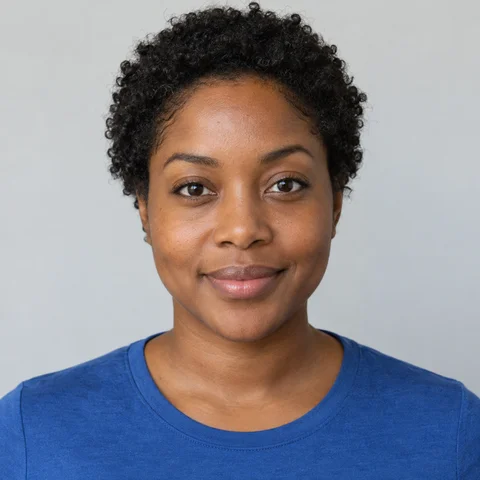
For this example, we added a photo to the reacting role and left the dancer empty. The portrait is an AI-created adult character.
Watch the result
12 seconds · 480P · MP4 · Template audio included
This is the full generated video, without cuts or visual retouching. In this result, the dancer's face also changed and the original onlooker remained in some shots. Faces, clothing and movement can vary between generations.
Make one with your photo
- Select the reacting character on the creation page.
- Upload a clear portrait. Add a second photo for the dancer if you want to cast both roles.
- Check your photos and roles, then generate. Preview and download the MP4 when it's ready.
Choose a well-lit photo with the whole face visible. Avoid sunglasses, obstructions and group photos. The photo and role guide walks through each step.
The template clip
This is the reference clip used for the template. Compare it with the generated video above.
What does it cost?
Each generation uses 100 credits. The starter pack is USD 9.90 for 100 credits, with a one-time payment. Your finished video is available for 24 hours, so download it while it's ready. See pricing for details.
Still choosing a tool? Our tool comparison covers role options and output formats.